Try Incompass free for 30 days. No credit card required.
Start Free Trial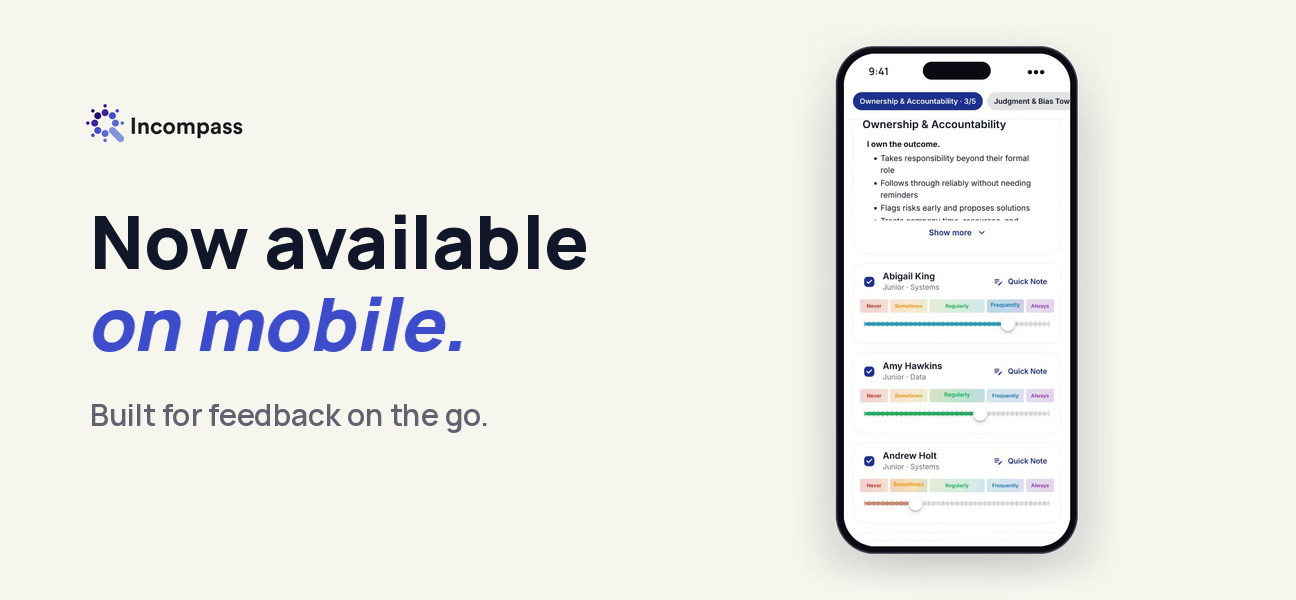


Work has changed. Managers move from meeting to meeting, teams are spread across offices, homes and job sites, and plenty of people do their best work nowhere near a desk. Your teams are on the go, and feedback should be able to keep up with them.
That’s why we made the full Incompass experience available on mobile. Now your teams can give feedback, review their results and act on them wherever work takes them.
Everything you can do on desktop now fits in the palm of your hand. Rate colleagues against your organization's behaviors and competencies, add written comments, and leave quick notes while things are top of mind.
Our AI Feedback Coach comes with you. Draft a few rough sentences and the Coach helps make them specific, balanced and actionable before you submit. Good feedback no longer depends on having a quiet moment at a desk.
When your results are ready, you don't need to wait until you're back at your laptop. Open Incompass on your phone to see your scores, the AI summary of comments, and your development plan. You can export a PDF to share with your manager or keep for your one-on-one.
We added phone and SMS sign-in. Enter your number, receive a one-time code by text, and you're in. It's faster on mobile and means one less password for your people to forget.
Is there an Incompass mobile app?
No download is needed. Incompass mobile runs in your phone’s web browser. Go to incompass.io on your phone and sign in to get the full Incompass experience.
Which phones and browsers does Incompass mobile support?
Incompass works on iPhone and Android phones in current versions of Safari, Chrome, Edge, Firefox.
What can I do in Incompass on my phone?
Everything you can do on desktop. You can rate colleagues on your organization’s behaviors and competencies, write comments with help from the AI Feedback Coach, see your scores and the AI summary of comments, review your development plan, and export your results as a PDF.
How does SMS sign-in work?
Enter your phone number and Incompass texts you a one-time code. Enter the code to sign in, with no password needed.
Is SMS sign-in secure?
Yes. Each code works only once, expires quickly, and is rate-limited to block guessing.
Does mobile access cost extra?
No. Mobile access is included in every Incompass plan, including the 30-day free trial.
Can I use the AI Feedback Coach on mobile?
Yes. Draft a few rough sentences and the Coach helps make your feedback specific, balanced and actionable before you submit.
It's live today. Open Incompass.io in your phone's browser and sign in. There's nothing to install.
Not using Incompass yet? BOOK A DEMO to see how mobile fits into your next review cycle.